

Tokens let you securely grant access to published Experiences without requiring users to create or log into an account.
When to use this
Tokens are ideal for situations where you want simple, controlled access to content without managing user accounts. For example:
- Events or trade shows
- Customer or partner centres
- Showrooms or shared devices
- Any public or semi-public access point
How Tokens work
- Generate a Token
- Enter the Token on the device where the Experience will be accessed
- The Token becomes linked to that specific device
- The Experience can be accessed without requiring login details
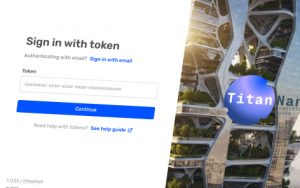
Token Management
Creating and Managing Device Tokens
Token Benefits
- Device-specific: Once used, a Token is assigned to a single device
- Controlled reassignment: To use the Token elsewhere, it must first be released in the Admin Portal
- Secure access: You remain in control of where and how your content is accessed
Tips & Best Practices
- Use Tokens for shared or public devices rather than individual users
- Keep track of where Tokens are assigned, especially for events or multi-device setups
- Release Tokens promptly when devices are no longer in use
- Consider naming conventions or internal tracking to manage multiple Tokens efficiently